Sprite Sheet Helper
Generate sprite sheets and export renders from 3D scenes, fast and simple.
- Role
- Solo Dev
- Date
- jun 2025
- Status
- Active development
- Built with
- TypeScript · React · Three.js · Tauri · Rust
tool
Full case study
Generate sprite sheets and export renders from 3D scenes, fast and simple.
Built with Vite + React + Tauri for a lightweight, native desktop experience.
What it does
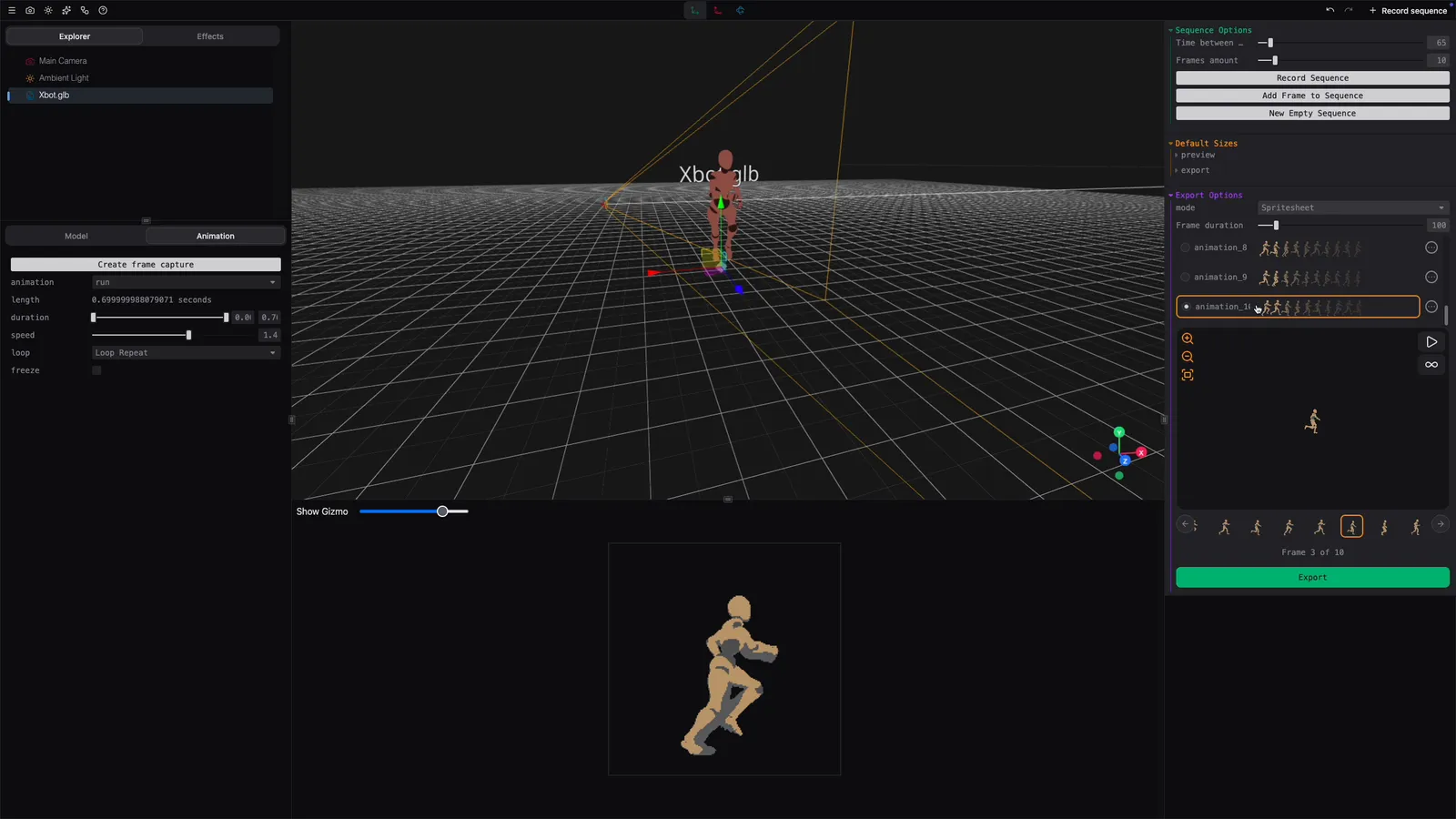
Sprite Sheet Helper takes 3D models and turns them into assets that can be used in a 2D game. Instead of manually rendering every frame and organizing the result, the tool handles the scene, camera, animation capture and export process in one place.
It supports GLB, GLTF, FBX and OBJ models, with lights, camera presets, transform controls and post-processing effects. Animations can be played, trimmed, slowed down, looped and captured frame by frame.
Camera animation capture
Animation clips can also be recorded directly from a webcam or a photo using pose detection. The captured movement can be reviewed frame by frame, corrected and saved back to the model before exporting it with the other animations.
It is one of those features that made the project much larger than a simple sprite sheet exporter, but it also makes the tool useful even when the original model does not already contain every animation i need.
Exporting for actual games
The result can be exported as a PNG sprite sheet with JSON metadata, individual frames, an animated GIF, or code and resource files prepared for different engines and frameworks.
Current export targets include Unity, Godot, Bevy, Phaser, Pygame, raylib, LÖVE 2D, anim8 and Turbo. The export workbench can also apply outlines, shadows, glow and color adjustments before packing the final atlas.
Workflows and automation
The desktop app is only one way of using it. The CLI can run the same capture process without opening the interface, which makes it possible to generate sprites from scripts or a CI pipeline.
Workflow presets automate common multi-angle captures such as top-down, isometric and platformer views. A single workflow can render every animation from every required camera direction and keep the sequences labeled in the final output.
The project also provides Docker and GitHub Action workflows, so generated game assets can be rebuilt automatically whenever the source models change.
Try it
The tool can be used directly from the web version, or downloaded for macOS, Windows and Linux from the releases page.
The documentation covers the interface, export formats and automation workflows. The current source is available in the GitHub repository.