glyph.lua
Declarative UI for LÖVE2D, shaped for game HUDs, debugger panels, editor tools and in-game menus.
- Role
- Solo Dev
- Date
- May 2026
- Status
- Active development
- Built with
- Lua · LÖVE2D
library
Full case study
Declarative UI for Love2D 11.x, shaped for game HUDs, debugger panels, editor tools, and in-game menus.
Why it exists
Game UI usually starts with a button or a small HUD and slowly becomes layout, input, focus, animation, styling and a lot of custom state. glyph.lua puts those shared pieces in one UI engine while still letting the game decide what its actual widgets should look like.
I wanted something that could work for an in-game menu, but also for the debugger panels and editor tools that show up around a game project. Those interfaces have similar needs, even when the visual result is completely different.
What it handles
- Declarative components and state.
- Rows, columns, panels and game-friendly layout primitives.
- Styling and reusable visual tokens.
- Mouse, keyboard, controller and touch input.
- Focus, navigation and accessibility metadata.
- Animation and visual feedback.
- Scenes and layered interfaces.
- Drawing primitives designed for game interfaces.
The common behavior lives in the core. Game-specific widgets stay in the examples or the app code, so the library does not need to know what an inventory slot, mission console or dialogue choice means for every game.
Declarative, but still Lua
A Glyph interface is made by returning a tree of components. State can live beside the component with helpers such as ui.useState, while ui.update and ui.render connect the interface to the normal LÖVE loop.
The result feels closer to describing the screen than manually keeping track of every rectangle and input check. It also makes it easier to move a piece of UI, reuse it or render it with a different style later.
Built for games
Glyph is not trying to reproduce a browser inside LÖVE. The components are shaped around the things games and game tools need: controller navigation, draggable inventory items, HUD feedback, custom drawing, scenes and interfaces that need to live beside the game loop.
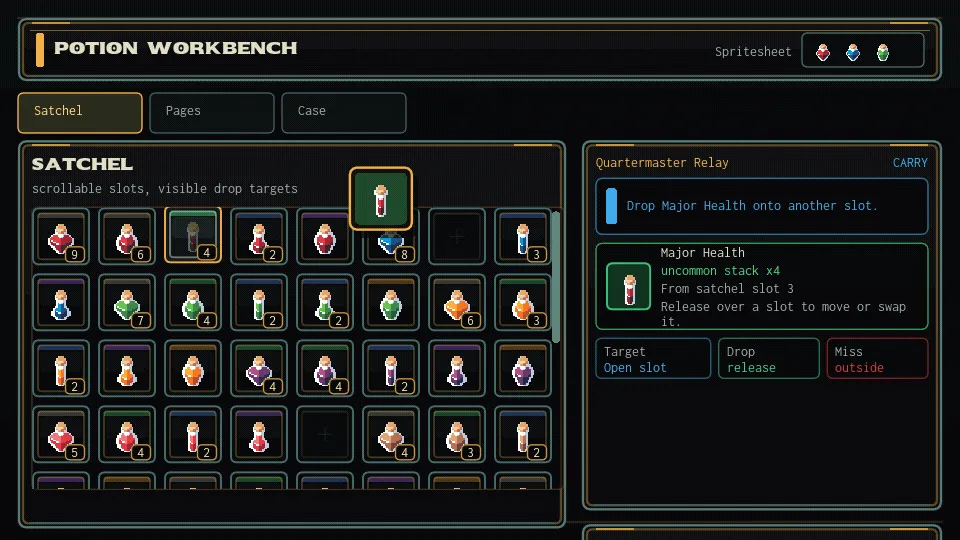
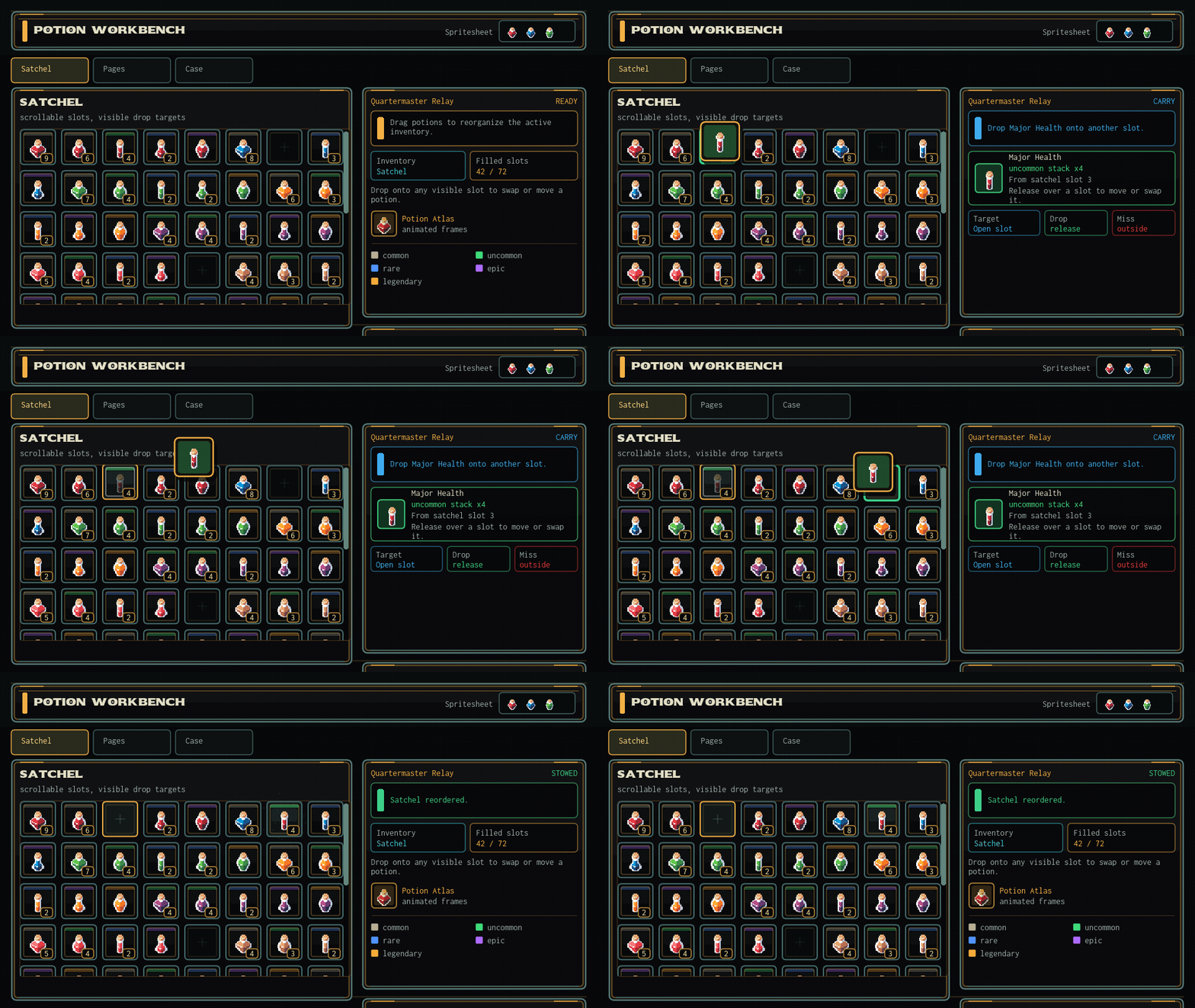
The inventory example in the preview uses the same system for scrollable item slots, visible drop targets, tabs, drag and drop feedback and a game-specific visual style.
Small core, optional integrations
Glyph has no required runtime dependency beyond LÖVE 11.x. Optional adapters such as Push or Shove viewport backends, SYSL rich text and anim8 sprite animations are provided by the app when needed.
This keeps the default library small while still leaving space for the tools a specific game already uses.
The full API, examples and setup instructions are available in the documentation. The source and current development version are in the GitHub repository.