
As a React Native developer, I regularly notice interesting features in the apps I use. Most of the time, I only think about how they might work and never try to build them.
That changes today.
React Native already provides tools such as Linking, for opening another application, and Share, for sending text through apps such as Telegram. This experiment goes one step further: capture a custom component as an image, preview it, and send that image through the native share sheet.
The implementation uses React Native Share and React Native View Shot.
Add the dependencies
Install both libraries, then update the iOS pods:
Build something to capture
To keep the example simple, I created a small card with React Native Paper:
<Card>
  <Card.Title
    title="This is an example"
    subtitle={this.state.subtitle}
    left={(props) => <Avatar.Icon {...props} icon="folder" />}
  />
  <Card.Content>
    <Title>Nicer title</Title>
    <Paragraph>I like trains</Paragraph>
  </Card.Content>
  <Card.Cover source={{ uri: "https://picsum.photos/700" }} />
  <Card.Actions>
    <Button onPress={this.takeSnapshot}>Take Snapshot</Button>
  </Card.Actions>
</Card>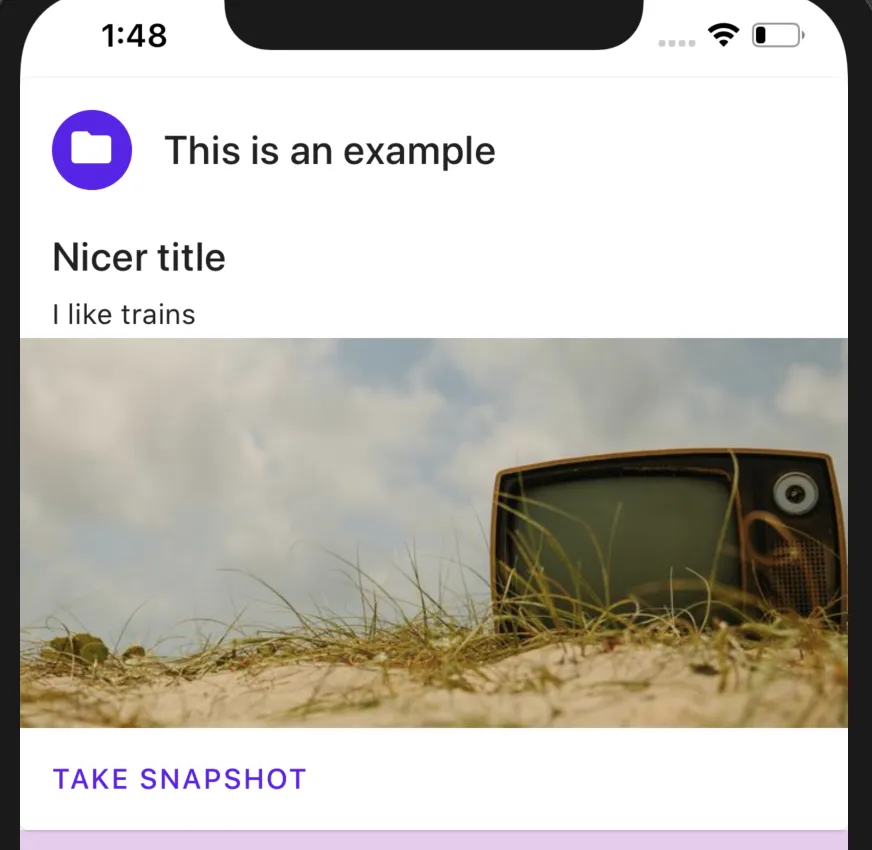
Wrap the view
ViewShot identifies the part of the component tree that should appear in the image:
import ViewShot from "react-native-view-shot"

<ViewShot>
  <Card>{/* Card content */}</Card>
</ViewShot>
To capture it on demand, keep a reference to the wrapper:
card = React.createRef<ViewShot>()

<ViewShot ref={this.card}>
  <Card>
    {/* Card content */}
    <Button onPress={this.takeSnapshot}>Take Snapshot</Button>
  </Card>
</ViewShot>
Capture the snapshot
With the reference in place, captureRef can render the view into an image:
import ViewShot, { captureRef } from "react-native-view-shot"

takeSnapshot = async () => {
  if (!this.card.current) return

  const snapshot = await captureRef(this.card, {
    result: "data-uri",
  })

  this.setState({ snapshot })
}
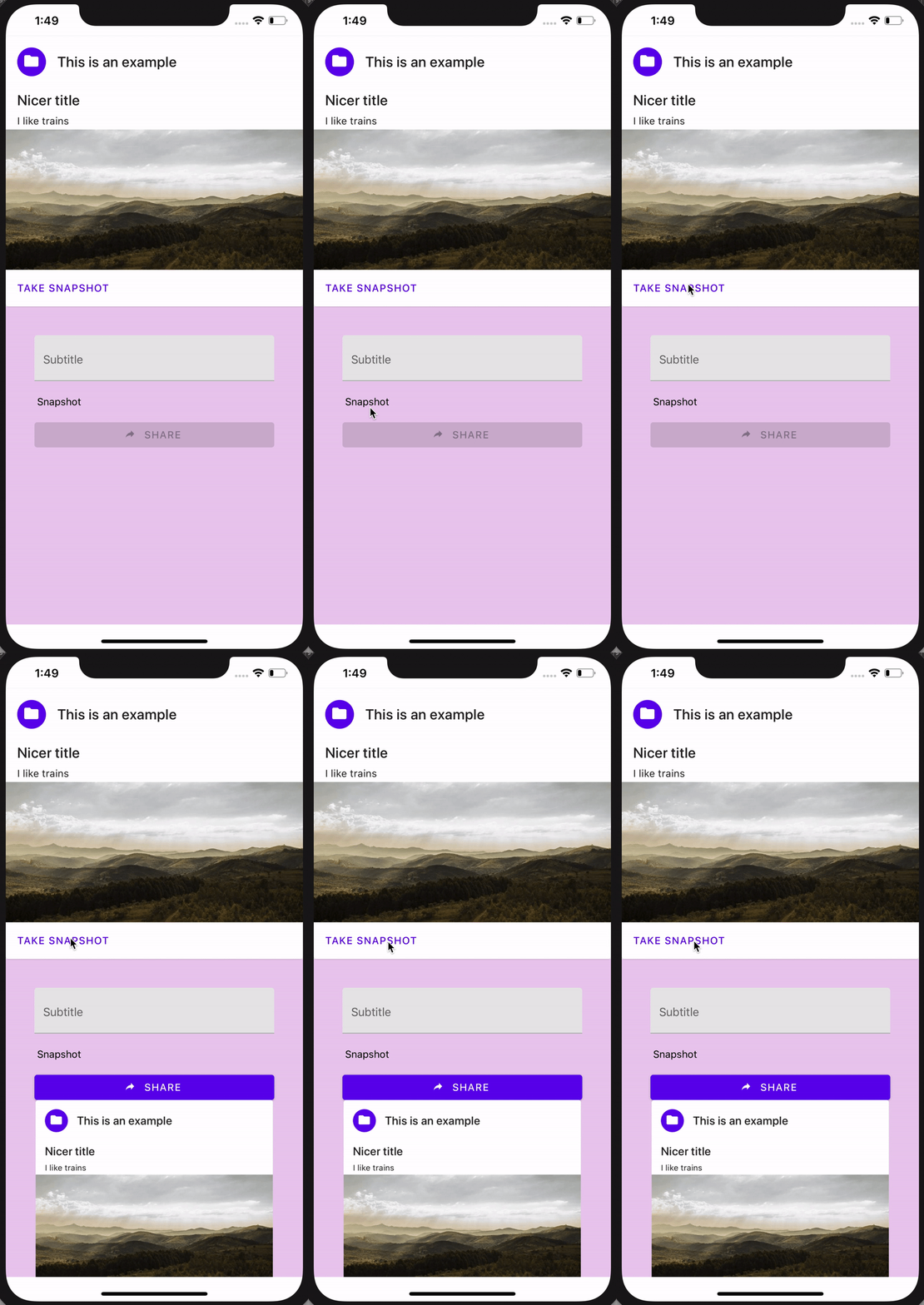
The data-uri result is a Base64-encoded image string that includes its Data URI prefix. That makes it possible to display the result directly with React Native’s Image component:
<Image
  source={{ uri: this.state.snapshot }}
  resizeMode="contain"
  style={styles.snapshot}
/>
Open the native share sheet
Once a snapshot exists, pass its Data URI to React Native Share:
import Share from "react-native-share"

shareSnapshot = async () => {
  const { snapshot } = this.state
  if (!snapshot) return

  try {
    await Share.open({ url: snapshot })
  } catch (error) {
    console.log(error)
  }
}

<Button
  disabled={!this.state.snapshot}
  icon="share"
  mode="contained"
  onPress={this.shareSnapshot}
>
  Share
</Button>
And voilà.
Tapping Share opens the platform’s native share dialog, where the user can select a destination or cancel. Both paths need to be handled: cancellation may be reported through the same rejection path as an error, depending on the library version and options in use.
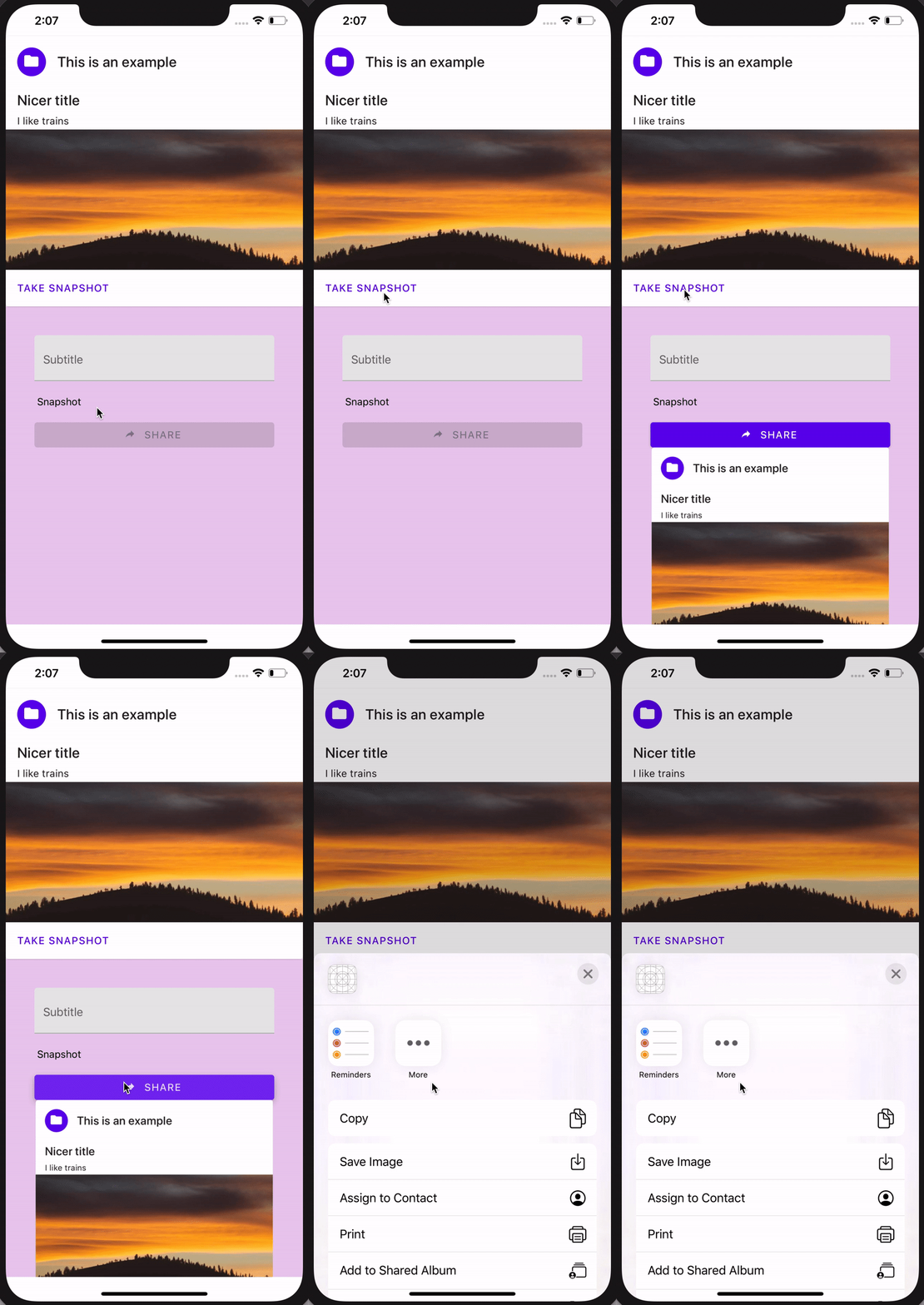
The original implementation is preserved in the accompanying GitHub pull request.
Leave a comment.
Thoughts, corrections, or a recommendation I missed? Add it through GitHub.
Loading the conversation…