Okay, now we’ve created an online portfolio and published it.
Let’s make sure our next changes don’t break what we already have.
What will you need?
We’re going to use Cypress to write automated end-to-end tests and GitHub Actions to execute them.
Configure Cypress
Install Cypress as a development dependency:
npm install --save-dev cypressAdd commands for opening Cypress interactively and running its end-to-end suite to package.json:
{
  "scripts": {
    "cypress:open": "cypress open",
    "cypress:e2e": "cypress run --e2e"
  }
}
Open Cypress:
npm run cypress:openSelect E2E Testing to begin the setup.
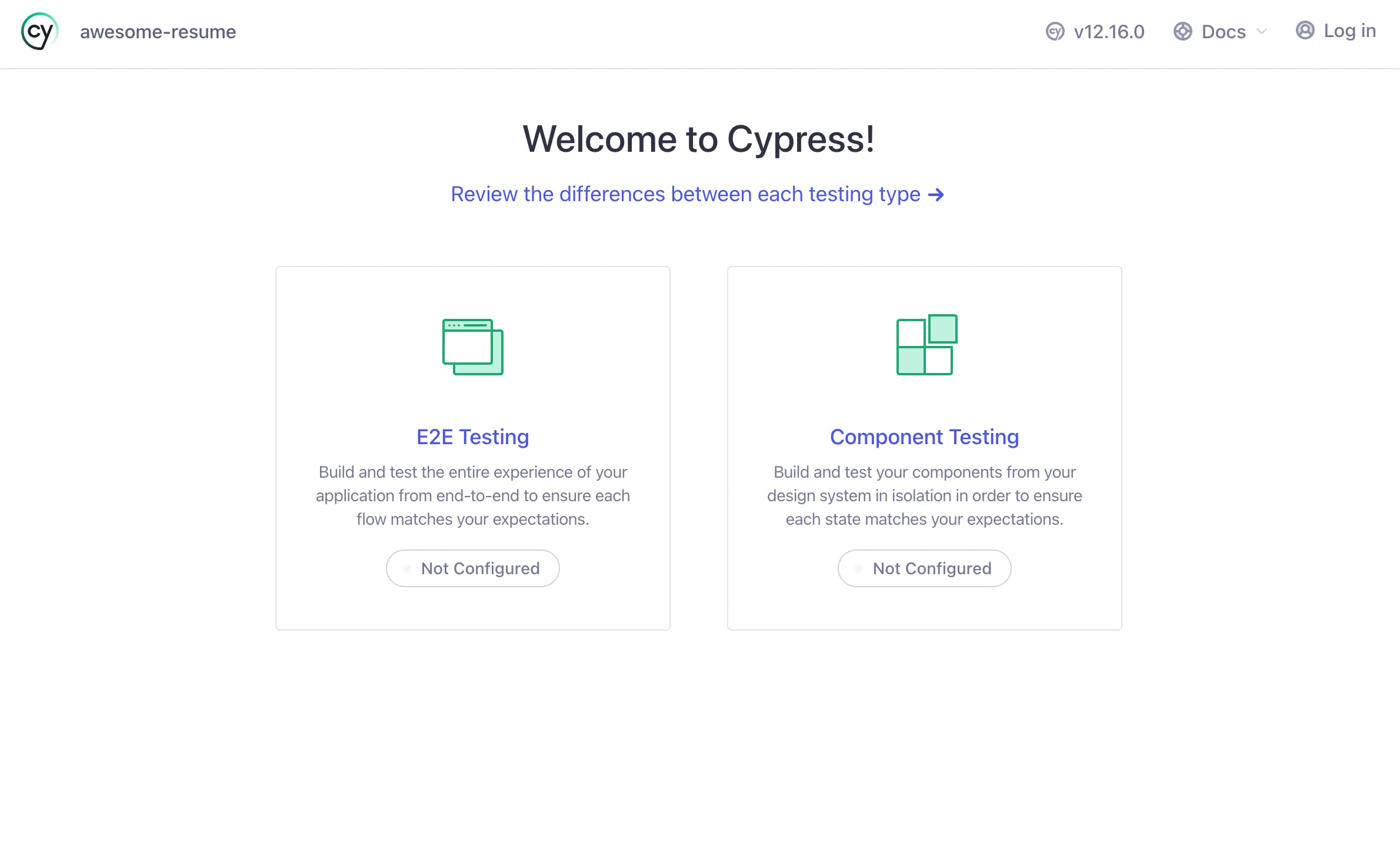
Continue through the setup so Cypress can create its configuration and support files.
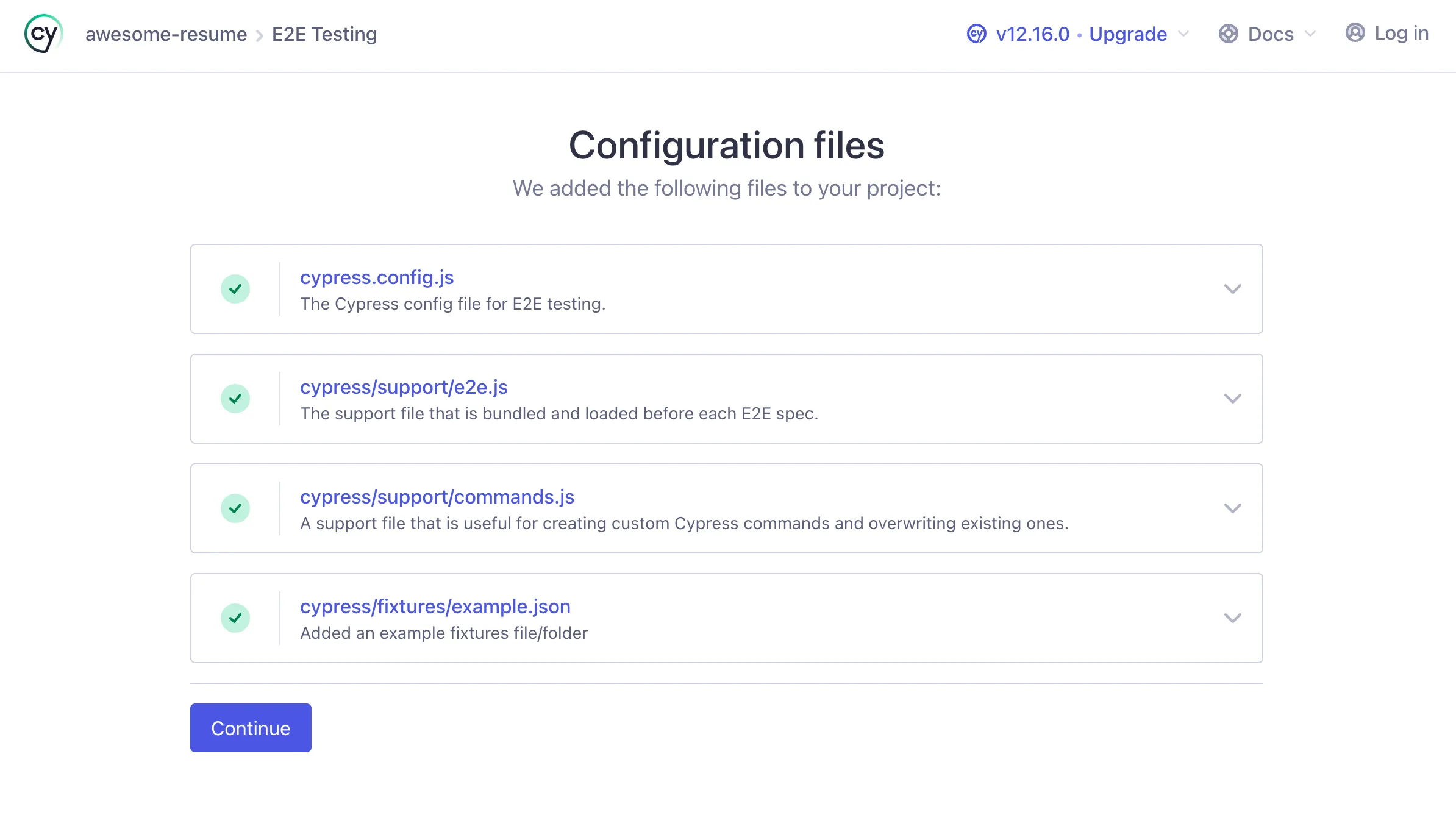
Once Cypress is configured, you can close its windows and create your first end-to-end test:
mkdir -p cypress/e2e
touch cypress/e2e/home.cy.js
Add a small smoke test to home.cy.js:
describe("Home Page", () => {
  beforeEach(() => {
    cy.visit("/")
  })

  it("renders successfully", () => {
    cy.get("h1").should("contain", "Headline")
  })
})
Run the suite:
npm run cypress:e2eConfigure GitHub Actions
First, add a baseUrl to cypress.config.js:
const { defineConfig } = require("cypress")

module.exports = defineConfig({
  e2e: {
    baseUrl: "http://localhost:3001",
    setupNodeEvents(on, config) {
      // Implement Node event listeners here.
    },
  },
})
To run the end-to-end test in continuous integration, we need a utility that starts the website, waits for it to become available, and then runs Cypress:
npm install --save-dev start-server-and-testAdd a new package.json script. This assumes the existing start command serves the site on port 3001.
{
  "scripts": {
    "test:e2e": "start-server-and-test start 3001 cypress:e2e"
  }
}
Verify the setup locally:
npm run test:e2eNow create the GitHub Actions workflow:
mkdir -p .github/workflows
touch .github/workflows/e2e-test.yml
Add the following to .github/workflows/e2e-test.yml:
name: E2E Test

on:
  pull_request:
    branches:
      - main
  push:
    branches:
      - main

jobs:
  build-and-test:
    runs-on: ubuntu-latest

    steps:
      - name: Checkout code
        uses: actions/checkout@v2

      - name: Set up Node.js
        uses: actions/setup-node@v2
        with:
          node-version: 19

      - name: Install dependencies
        run: npm install

      - name: Run E2E tests
        run: npm run test:e2e
That’s it. Push the changes to your repository to run the workflow.
Cover photograph by Ferenc Almasi.
Leave a comment.
Thoughts, corrections, or a recommendation I missed? Add it through GitHub.
Loading the conversation…