Reinventing the wheel
The only way I can describe this website is as a passion project. The reality is that anything I do on this website could be accomplished in a fraction of the time by using a more mature web framework like Next.js. After all, I’m a React Native engineer, and the React part is covered; but where’s the fun in that?
This website was made with love, but powered by Docsify, a framework for creating documentation using Markdown. The website was not exactly documentation, and even at this point it had become more than just Markdown.
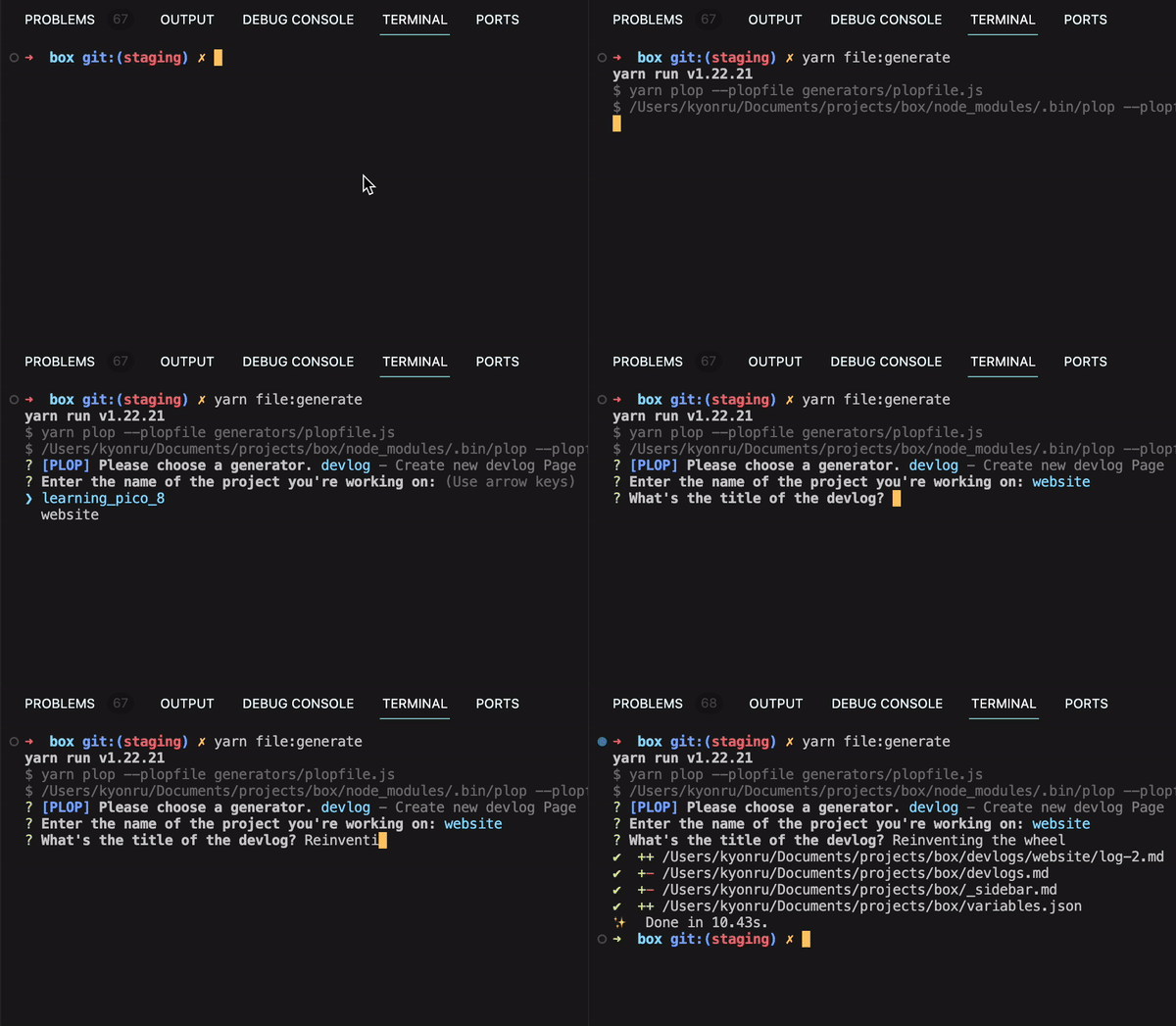
Running yarn file:generate to create a new devlog.
Project components
- Website Markdown pages: Every page displayed on the website was written in Markdown, which Docsify converted to HTML.
- Vue.js: Docsify supports Vue, so I could take advantage of some of its features. When opening the old website tag page, its content was loaded dynamically from a local
variables.jsonfile. - Plop.js: I used Plop heavily to automate the creation of devlogs, blog posts, menu sections, portfolio projects, and anything else that came up. I had a blast learning how to automate everything and finding workarounds for Docsify’s limitations.
Progress made
- Created the devlog section: a place to share progress on all my current projects.
- Automated devlog creation.
- Updated the side menu’s design, behavior, and sections.
Challenges faced
Data persistence
Rendering data dynamically meant I needed a central place to save each devlog or post. Initially, variables.json was supposed to be a simple JSON file for tracking a few variables. Over the next couple of days, it became almost like a database, an overstatement, to be honest.
Next steps
- In the next couple of months, maybe years, I’ll post updates about my other projects using the commands I just added.
- I’ll research ways to display PICO-8 games in Markdown, probably using iframes.
Leave a comment.
Thoughts, corrections, or a recommendation I missed? Add it through GitHub.
Loading the conversation…